> ## Documentation Index
> Fetch the complete documentation index at: https://docs.msgflash.com/llms.txt
> Use this file to discover all available pages before exploring further.
# Introduction
> MsgFlash is a WhatsApp automation API for messages, campaigns, contacts, templates, webhooks, and billing.
## What is MsgFlash?
MsgFlash is an API-first platform that lets you:
* send WhatsApp messages
* schedule sends
* launch campaigns
* manage dynamic templates
* manage contacts and contact groups
* receive webhook events
* track your plan, limits, and usage
***
## Architecture
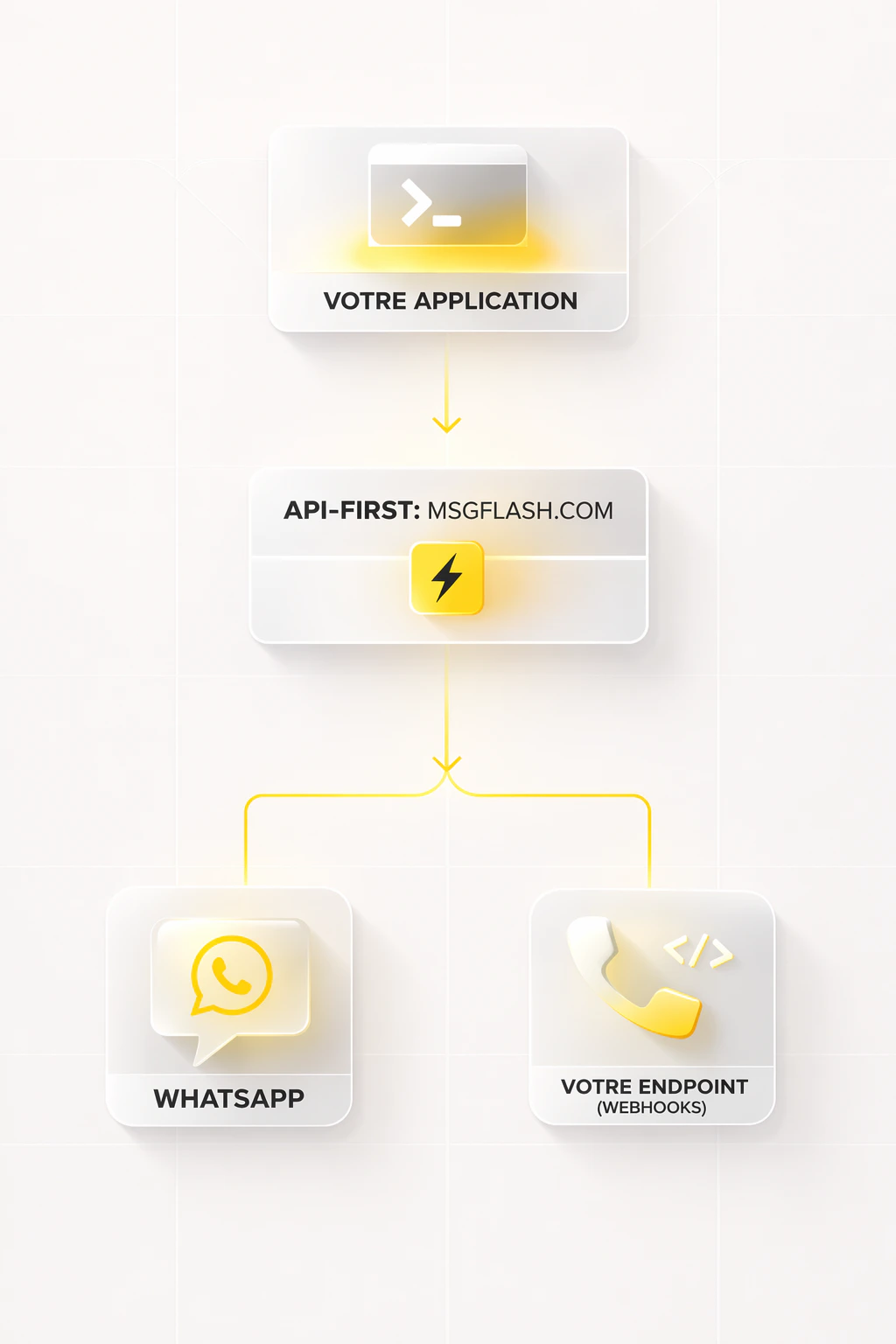 Each instance represents one connected WhatsApp number, managed from the dashboard.
***
## The two surfaces
The interface for connecting your numbers, managing subscriptions, contacts, campaigns, and API keys.
The REST API under `/api/v1/*`, authenticated with `x-api-key`, for server-to-server integrations.
***
## What you can do with the public API
Send or schedule text, media, location, and contact messages, with or without templates.
Create scheduled campaigns with templates or direct messages, track progress, and pause or resume them.
Create reusable templates with `contact.*`, `user.*`, `instance.*`, and `custom.*` variables.
Manage your contacts, contact groups, and bulk deletions.
Register your endpoints and receive signed events in real time.
Read your plans, current subscription, usage, and payment history.
Prepare a temporary media file before a direct send from the console.
Each instance represents one connected WhatsApp number, managed from the dashboard.
***
## The two surfaces
The interface for connecting your numbers, managing subscriptions, contacts, campaigns, and API keys.
The REST API under `/api/v1/*`, authenticated with `x-api-key`, for server-to-server integrations.
***
## What you can do with the public API
Send or schedule text, media, location, and contact messages, with or without templates.
Create scheduled campaigns with templates or direct messages, track progress, and pause or resume them.
Create reusable templates with `contact.*`, `user.*`, `instance.*`, and `custom.*` variables.
Manage your contacts, contact groups, and bulk deletions.
Register your endpoints and receive signed events in real time.
Read your plans, current subscription, usage, and payment history.
Prepare a temporary media file before a direct send from the console.